Watchlist
The Watchlist is your list of drones to treat as a threat. A watchlisted drone raises a high-priority alert whenever it is detected, whatever your alarm zones. Operators and Admins can change the list; everyone sees the watchlisted drones marked across the app.
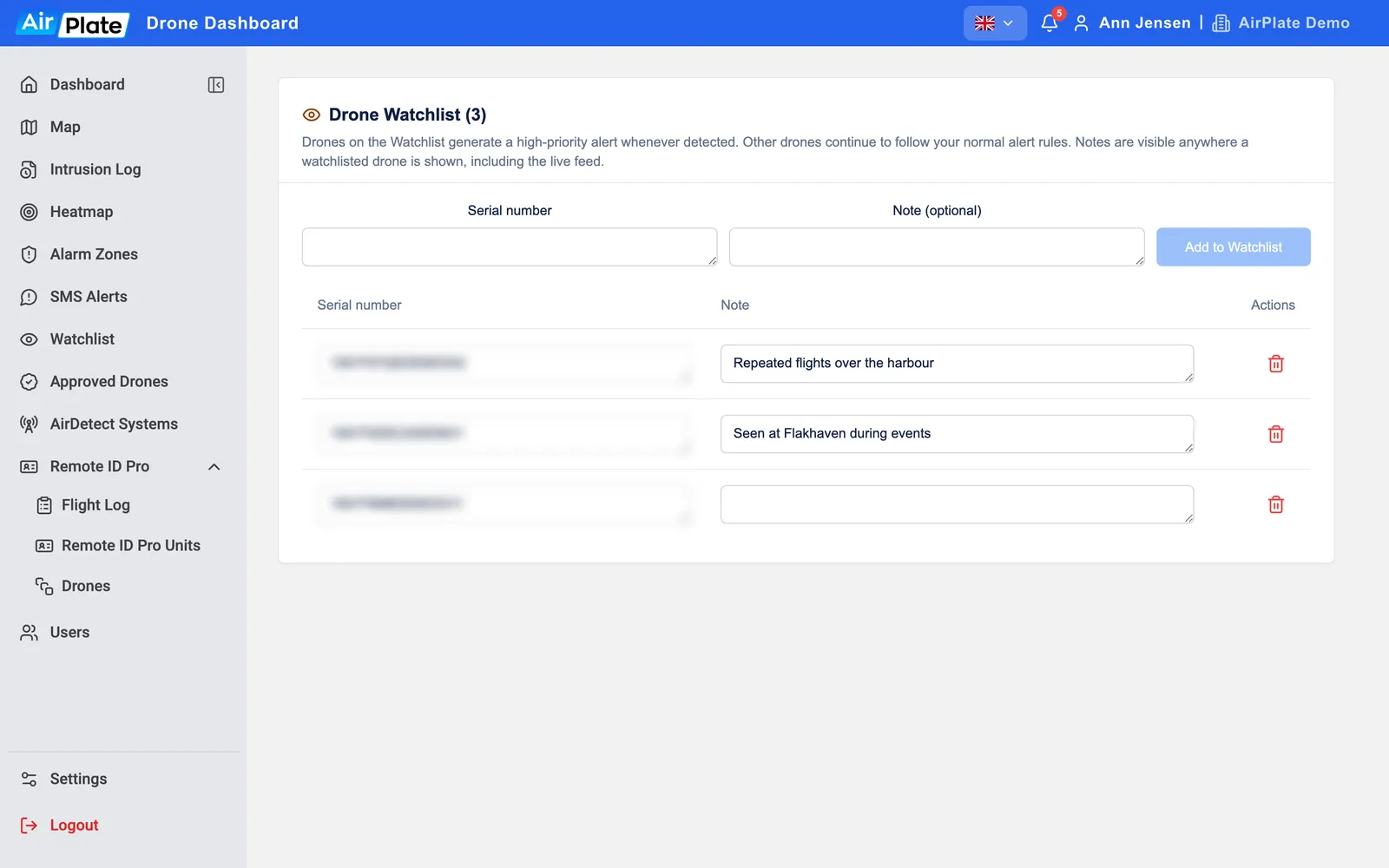
- Serial number
The drone to watch - Note (optional)
Why it is on the list - Add to Watchlist
Add it - A watchlisted drone
Change the serial number or note here - Delete
Take it off the list
Add a drone
Section titled “Add a drone”Type the drone’s Serial number and, if you like, a Note, then click Add to Watchlist. The note is shown wherever the drone appears, so write why it is on the list. To change an entry, edit it in the list: it is saved when you leave the field. To take a drone off the list, click the bin and confirm.
A drone can’t be on both the Watchlist and Approved Drones: remove it from one list before adding it to the other.
When a watchlisted drone is detected
Section titled “When a watchlisted drone is detected”- Texts: everyone on SMS Alerts with Watchlisted drone alerts switched on gets a text, whatever zones and sensors they are linked to.
- In the app: an orange Watchlisted Drone Detected! pop-up with the note, a red drone on the Map, an orange row at the top of Live Drones, and an eye icon in the Intrusion Log.
- Earlier flights: a drone you add is also marked in its earlier flights in the Intrusion Log.
Drones are matched by serial number, so a drone that sends no serial number can’t be matched.