SMS Alerts
SMS Alerts holds the phone numbers that get a text when a drone is detected, and which alarm zones and sensors each of them hears about. Operators and Admins can use this page. SMS alerts need an active subscription to the AirPlate cloud platform.
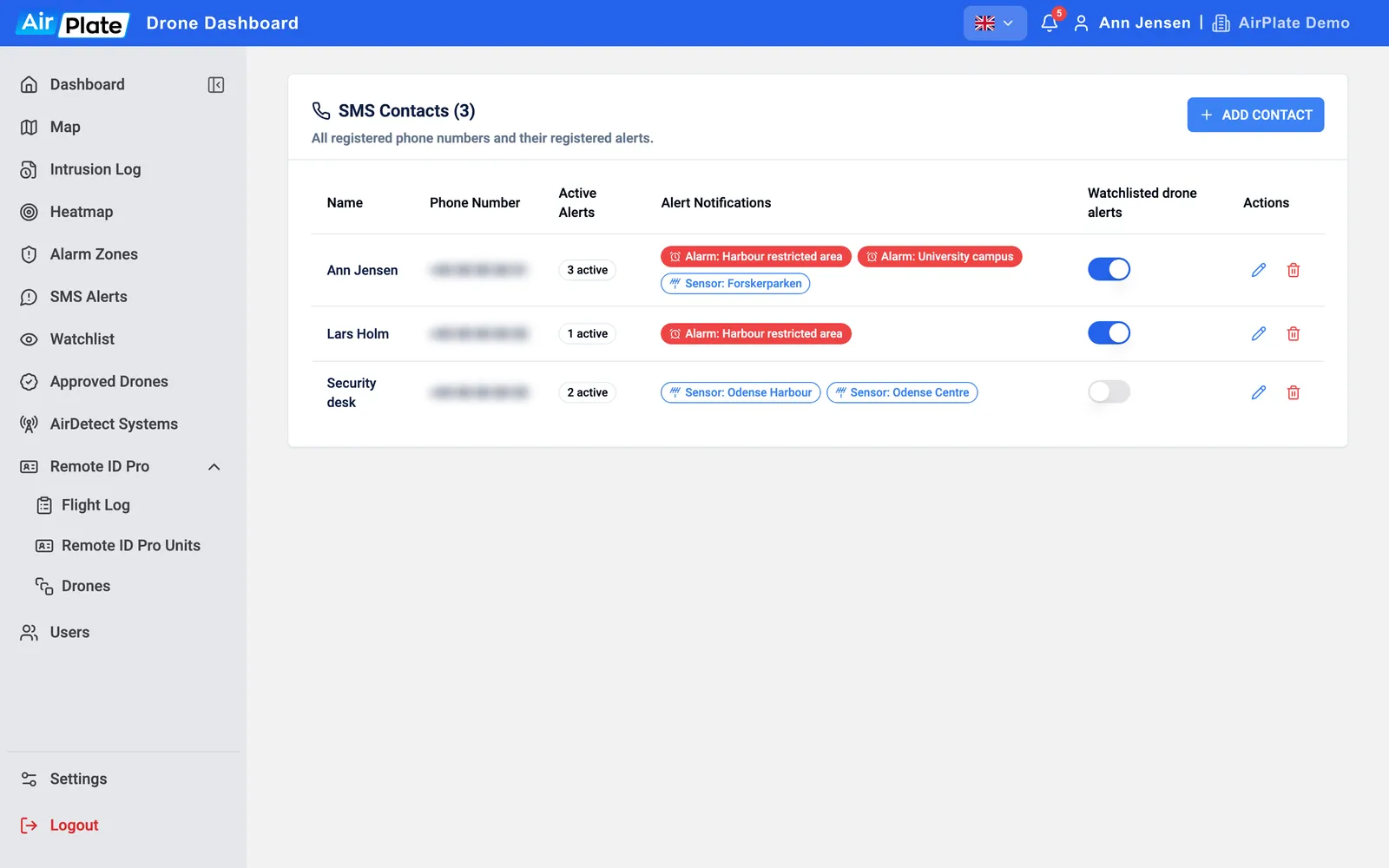
- ADD CONTACT
Add a phone number - Alert Notifications
The zones and sensors this person gets texts for - Watchlisted drone alerts
Texts about watchlisted drones - Manage Alerts
Choose the zones and sensors - Delete Contact
Remove the number and its alerts
Add a contact
Section titled “Add a contact”Click ADD CONTACT, type a Name and the Phone Number, and pick the country (it starts at Denmark). A name or number can’t be changed later: delete the contact and add it again.
Choose which alerts a contact gets
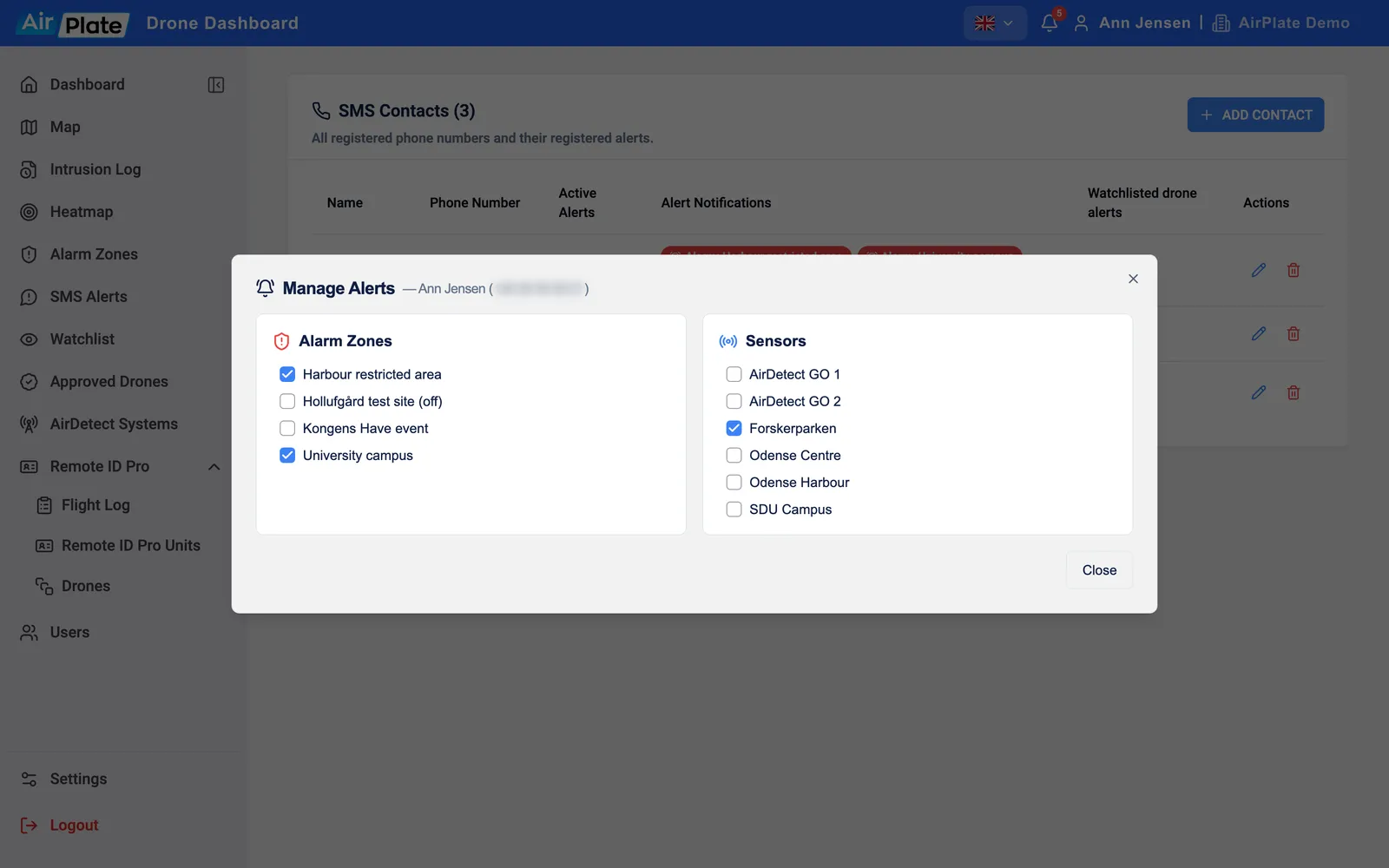
Section titled “Choose which alerts a contact gets”Click the pencil to open Manage Alerts, and tick what this person should get a text for:
- Alarm Zones: a text when a drone is inside the zone while it is active. Switched-off zones are marked (off).
- Sensors: a text when the sensor detects any drone, wherever it flies.
- Subscription Zones: if your organization subscribes to the Drone Detection Service, a text when a drone is inside the zone.
Each tick is saved straight away; click Close when you are done. The list then shows the links as Alarm:, Sensor: and Zone: labels, with their number under Active Alerts.
There are no settings per contact for times of day or kinds of drone. To limit a zone to certain dates, give it an active period. To stop alerts for your own drones, use Approved Drones.
Watchlisted drone alerts
Section titled “Watchlisted drone alerts”With Watchlisted drone alerts switched on, the contact gets a text whenever a drone on your Watchlist is detected, whatever zones and sensors they are linked to. The switch is saved straight away.