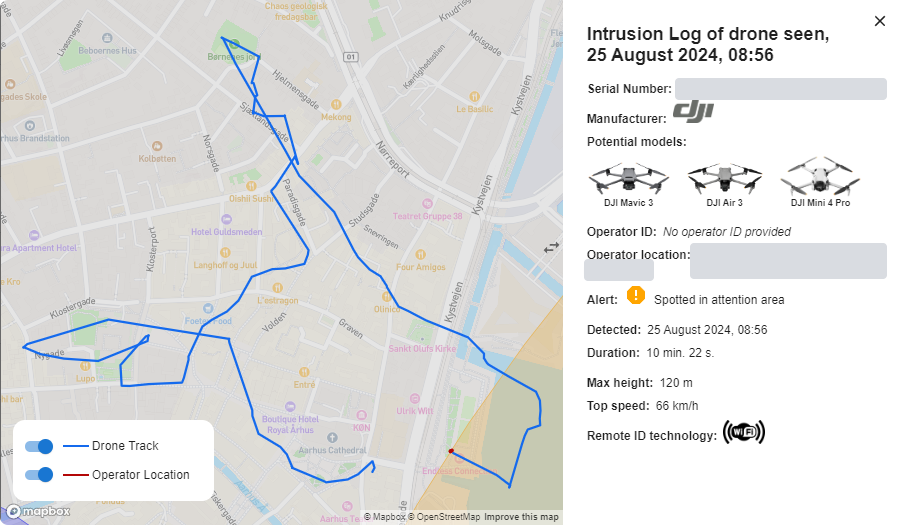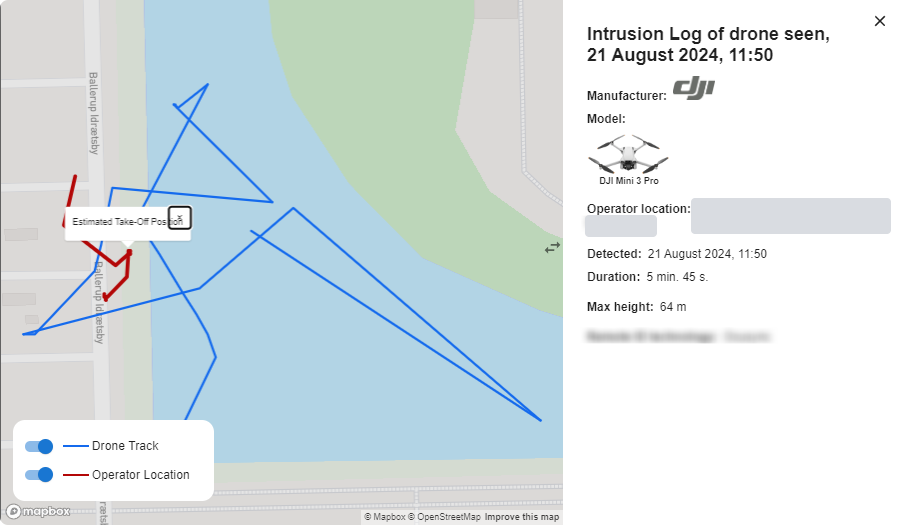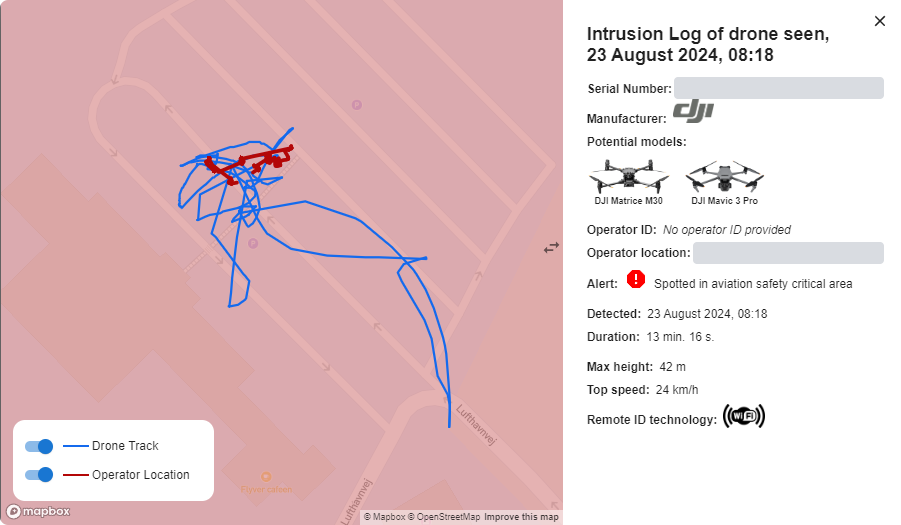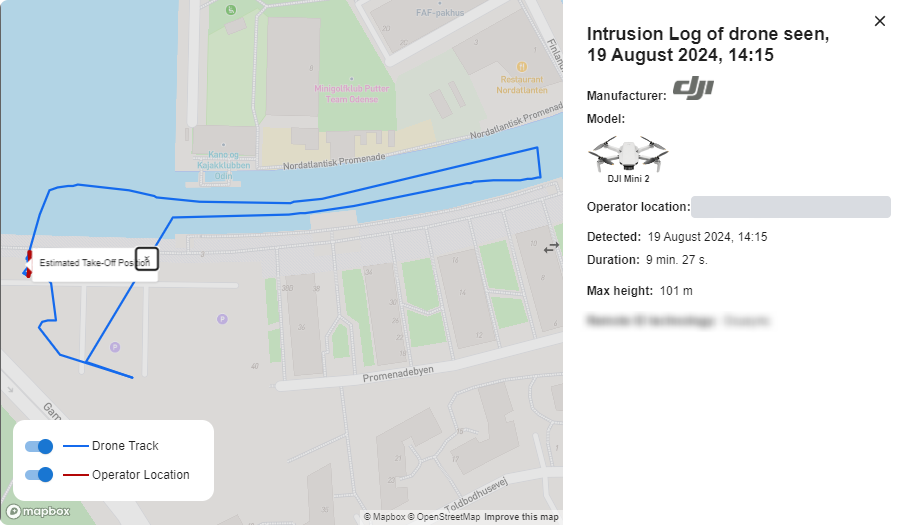
Intrusion Log
Every drone your sensors detect is logged, so you can look into each flight in detail:
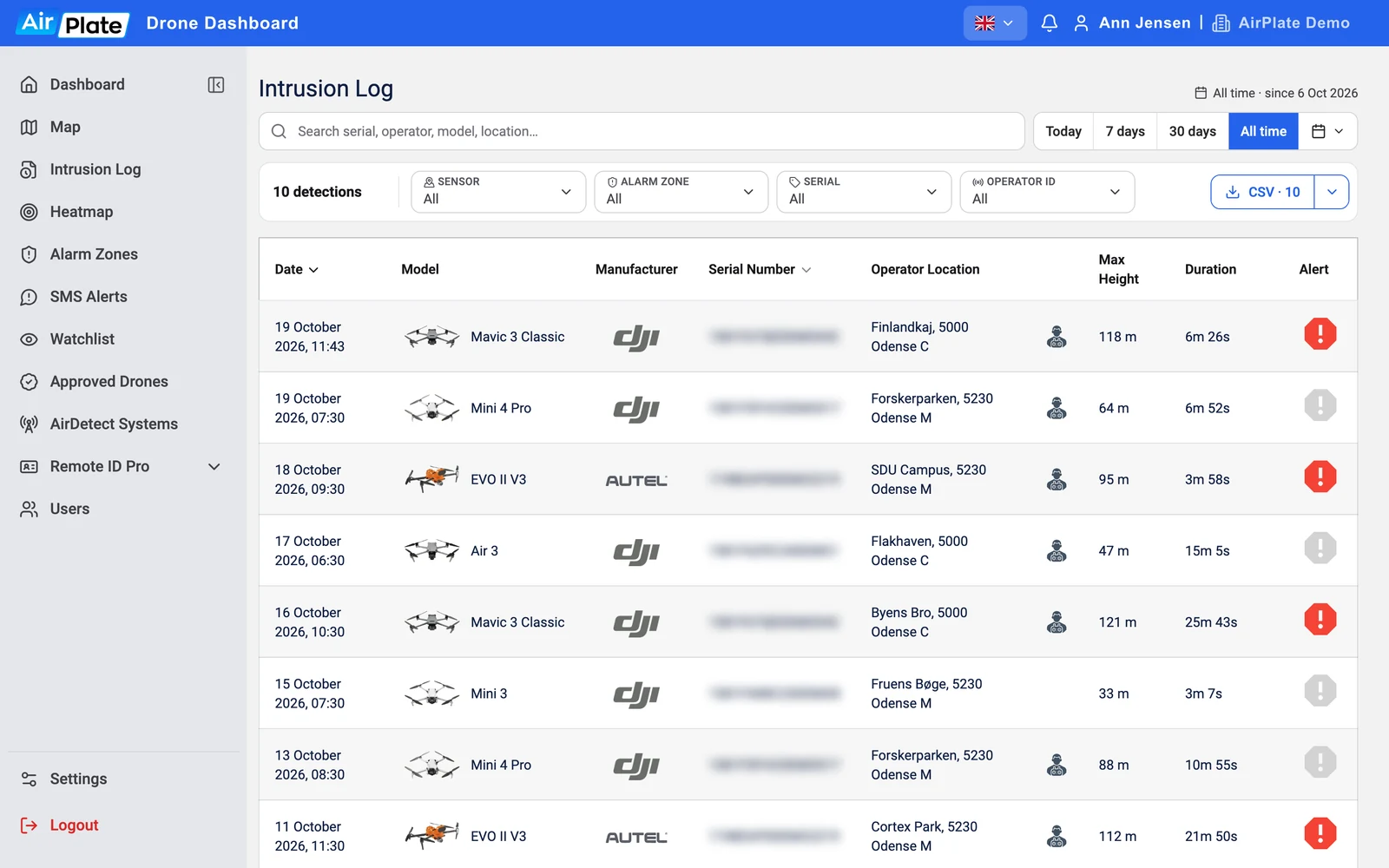
- Intrusion Logs: Open Intrusion Log in the menu for a detailed log of all detected drones, with the date, model, manufacturer, serial number, operator location, maximum height and duration, and an alert when an alarm zone was breached. You can search, filter by sensor, alarm zone, serial number or operator ID, pick a period, and export the list as a CSV file. This log provides essential evidence for security reviews and audits.
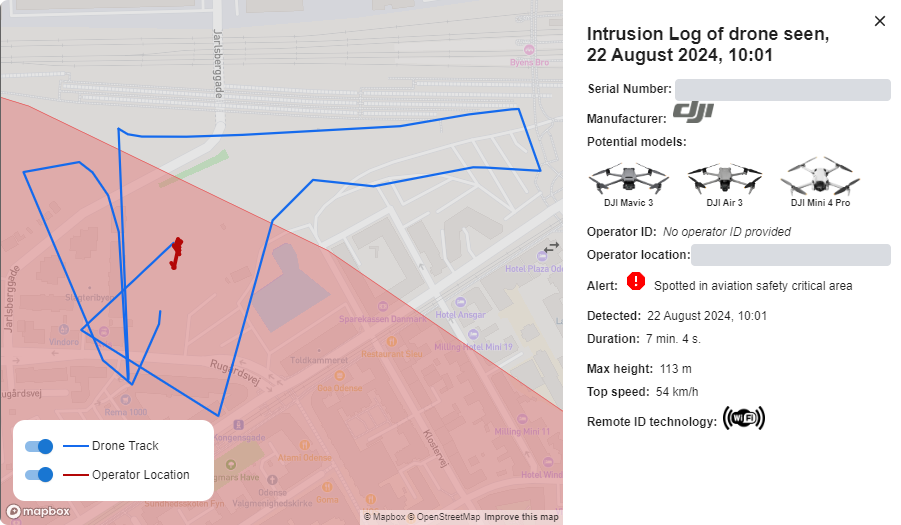
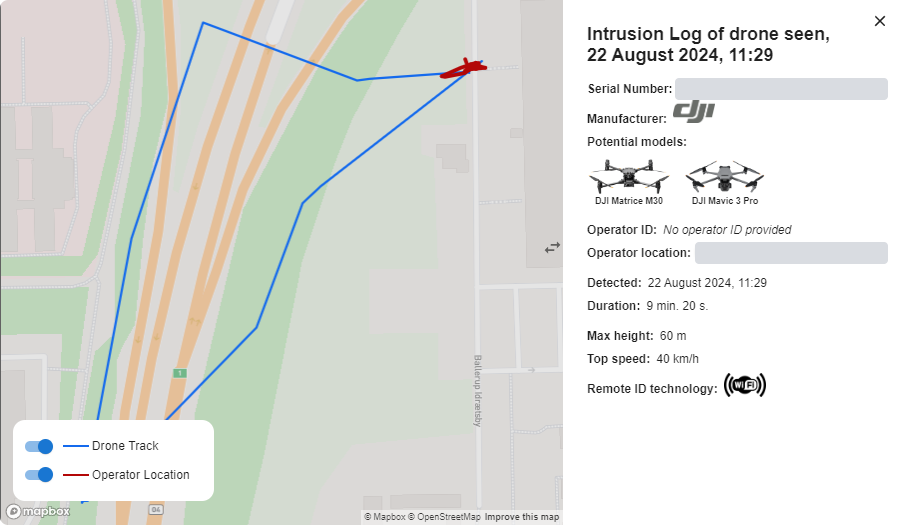
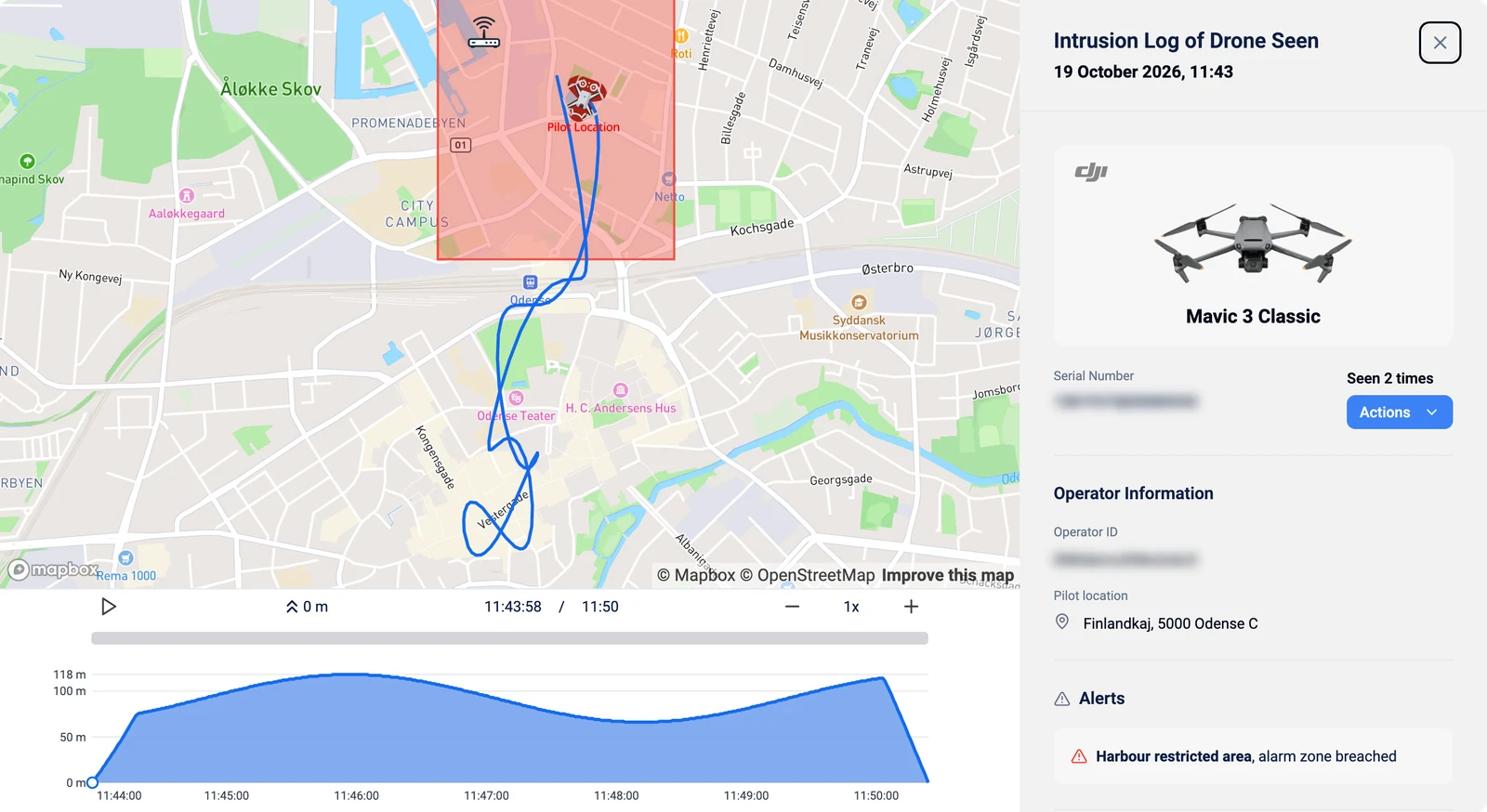
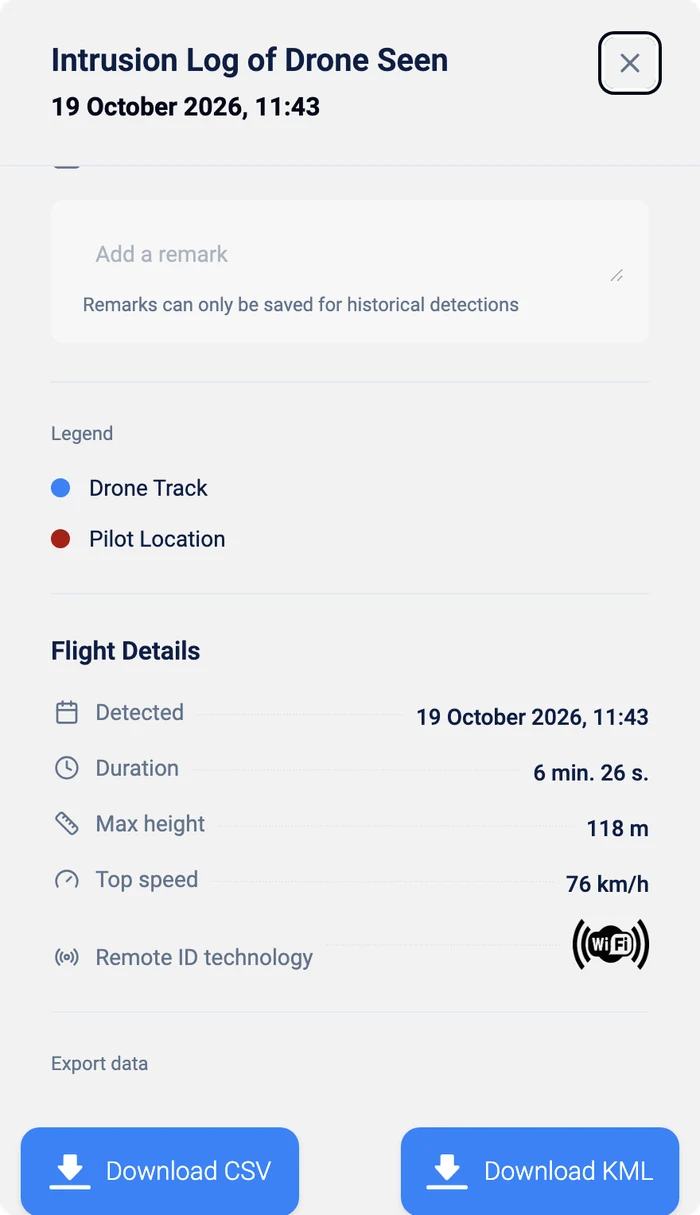
- Detailed View: Select a detection for a more detailed analysis: the drone’s track on the map with its altitude over time, which you can replay, the drone’s model, manufacturer and serial number, the operator ID and pilot location, and any alarm-zone alerts. Further down, Flight Details show the detection time, duration, maximum height and top speed, and you can download the track as CSV or KML.
- Case Studies: Review real-world examples or case studies where the AirPlate Drone Detection Service has identified and tracked drone activities.