
Replacing the SIM card on the Remote ID Pro
You need a screwdriver for M2 screws, and a prepaid SIM card with LTE-M.
-
Remove the cover: undo the 2 screws, and lift off the cover of the Remote ID Pro.
-
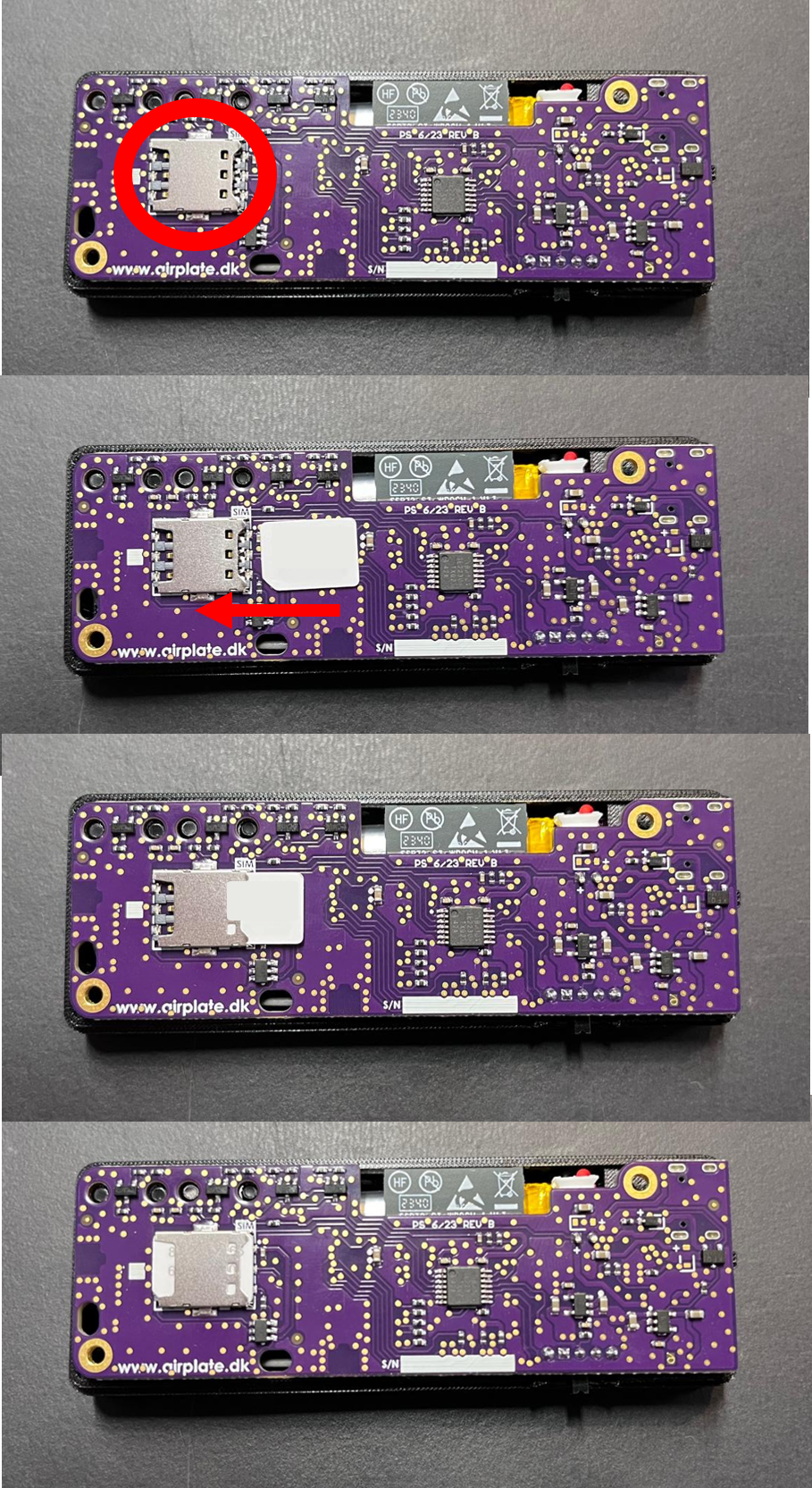
Find the SIM card slot on the circuit board, with the preinstalled SIM card in it.
-
Remove the old SIM card from the slot.
-
Insert the new SIM card. The image below shows where the slot is and which way the SIM card goes in.
-
Put the cover back on, and tighten the screws.
Nothing else needs to be done: the SIM card works straight away.