Before flight
Charging the Remote ID Pro
Section titled “Charging the Remote ID Pro”Before turning on the unit, make sure the battery is charged. To charge it, connect the Remote ID Pro to power through the USB-C port, with a standard wall plug or another suitable device (a computer, a power bank, etc.).
We recommend charging the battery fully before use: that gives over 2 hours of operation without external power. With a standard wall plug, charging takes approximately 1.5 hours. This can vary with your charging setup.
Charging LED
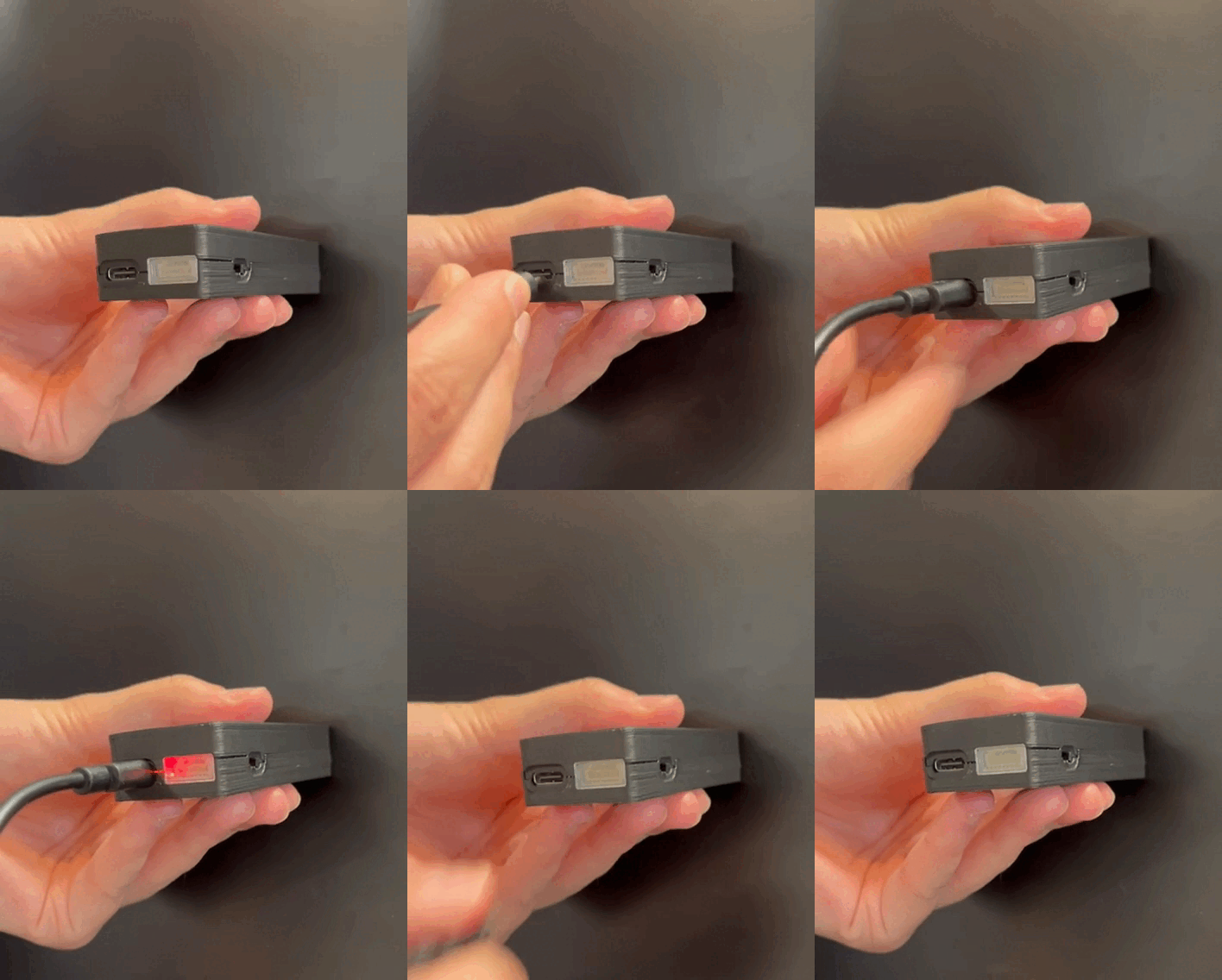
Section titled “Charging LED”When the Remote ID Pro is connected to power, a red LED can be seen through the translucent cover on the MAVLink port.
Charging in flight
Section titled “Charging in flight”The Remote ID Pro can be charged in flight from the drone’s battery, through either the USB-C port or the MAVLink port. The MAVLink port is on the right side, next to the USB-C port:
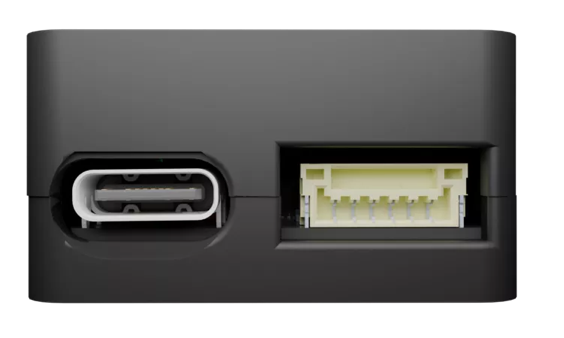
To power it through the MAVLink port, connect it like this:
| Pin | Signal | Voltage |
|---|---|---|
| 1 (red) | VCC | +5 V |
| 2–5 | No connection | |
| 6 (black) | Ground | GND connection |
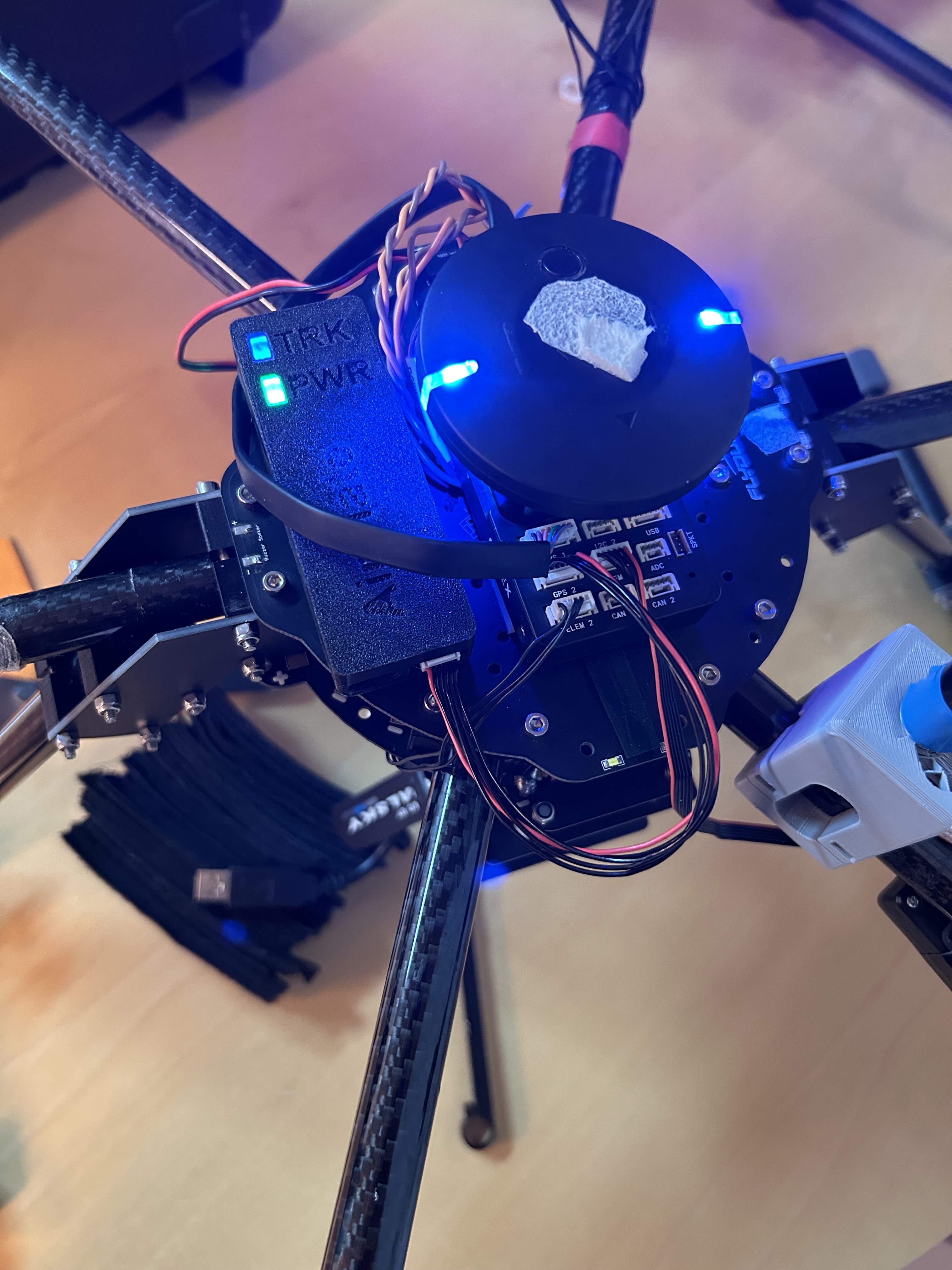
An example of this connection:
Attaching the Remote ID Pro to the drone
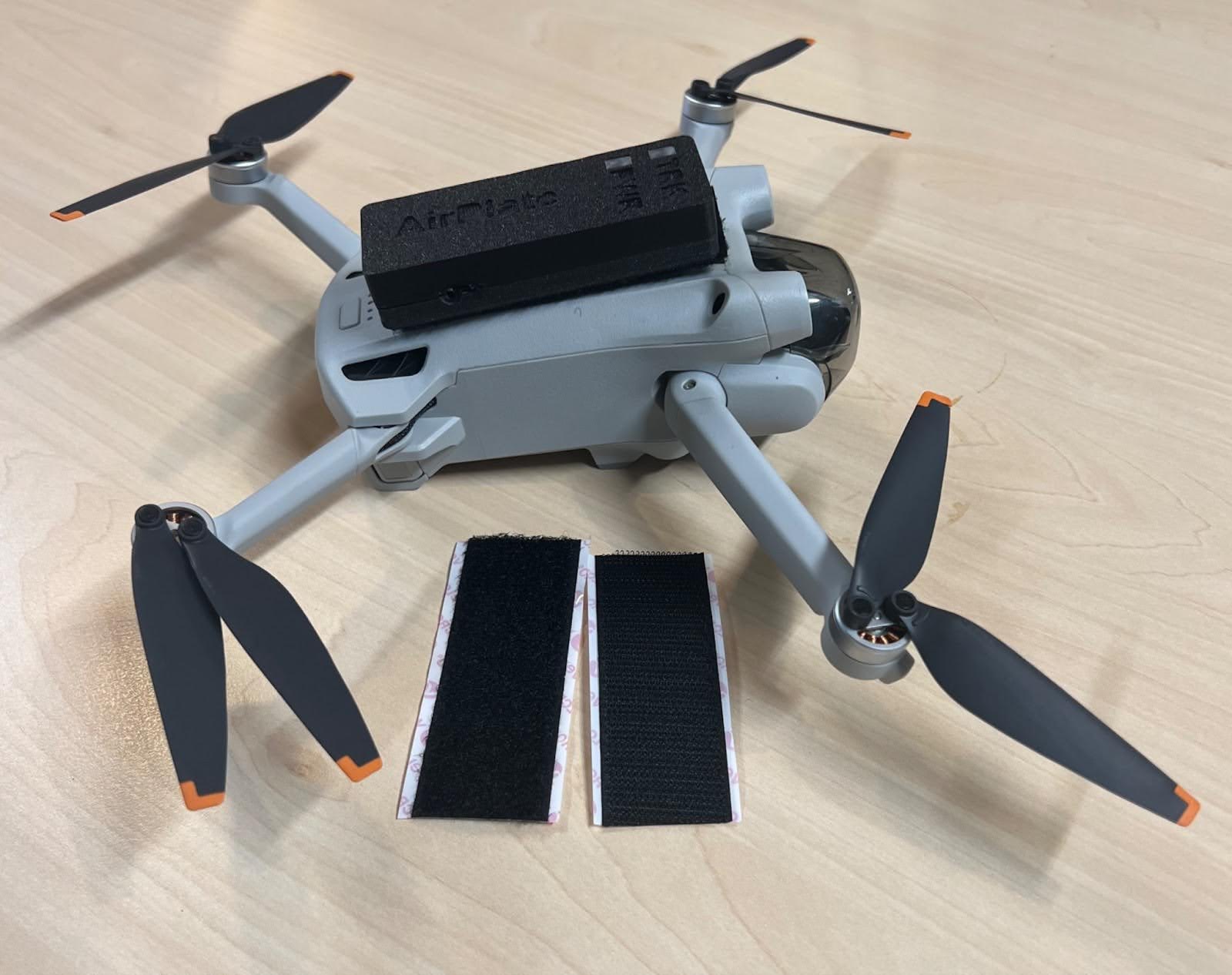
Section titled “Attaching the Remote ID Pro to the drone”Attach the Remote ID Pro to the drone in the way you prefer. We recommend a velcro strip (two come in the box), but double-sided tape works too.
GNSS antenna placement
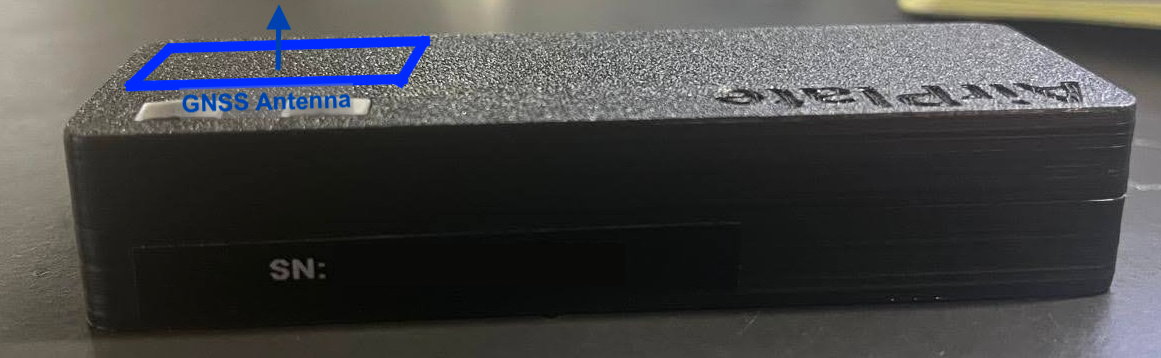
Section titled “GNSS antenna placement”The GNSS antenna is positioned as shown in the image below. For the best GNSS precision, the antenna must have a clear view of the sky and face straight up, as in the mounting suggestions. The Remote ID Pro still works mounted in other ways, for example on the side of the drone, but its GNSS position will be less precise.
Preparing for use
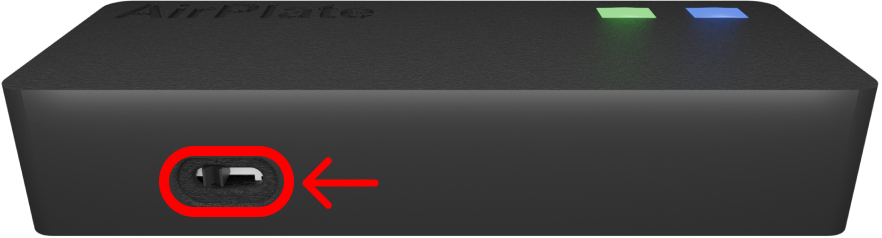
Section titled “Preparing for use”Switch the device on with the switch on the side. It takes approximately 40 seconds for the Remote ID Pro to be ready for flight.
What the lights mean
Section titled “What the lights mean”| Light | Meaning |
|---|---|
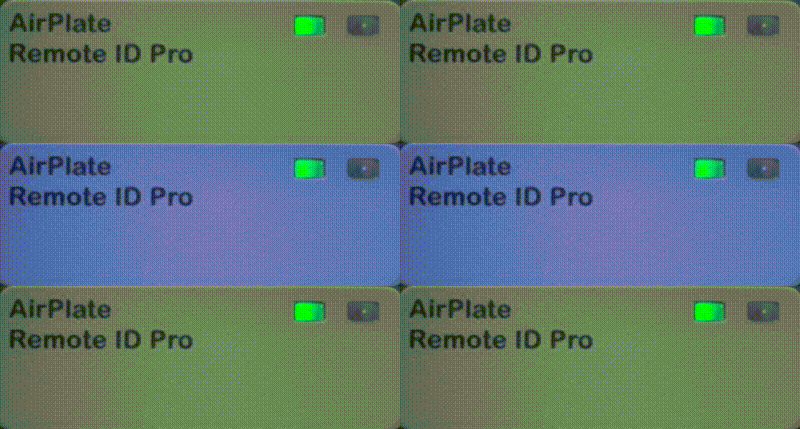 |
The device is on and starting up. |
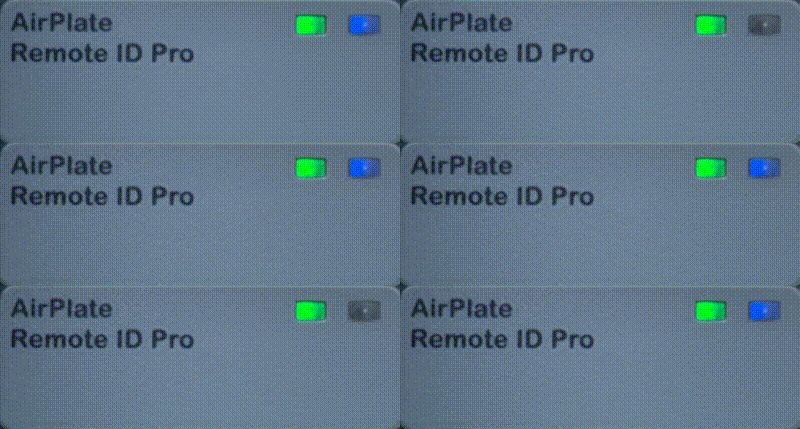 |
The device is transmitting Remote ID, without a GPS fix. |
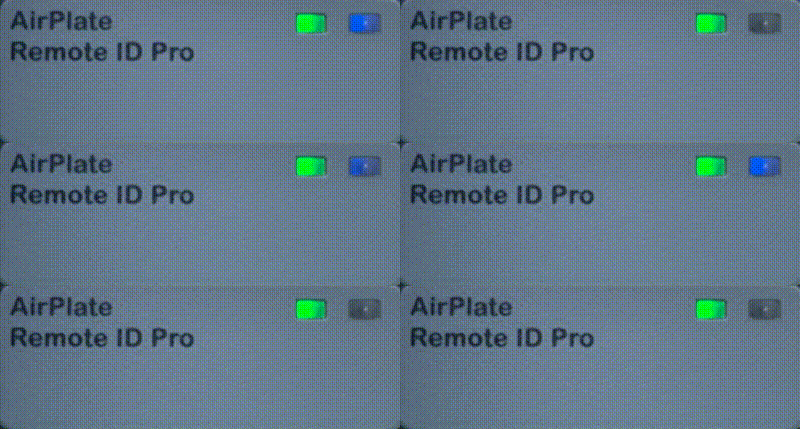 |
The device is transmitting Remote ID, with a GPS fix. |
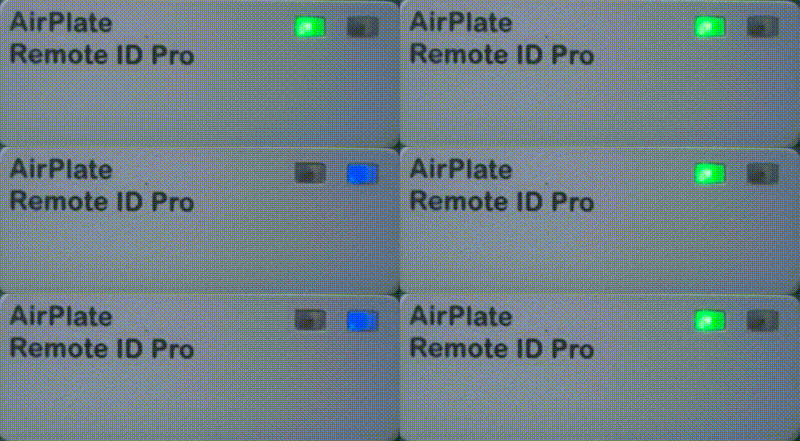 |
The device is updating its firmware. |
When the device is transmitting without a GPS fix, it sends the position latitude 0, longitude 0 (see Zero island).